 Kitten (like a small cat.)
38694f7292
Kitten (like a small cat.)
38694f7292
updated ImageMagick command, mentioned that theme should garble, added suggestion to name output pngs |
||
|---|---|---|
| void-theme | ||
| void-theme-glitch | ||
| void-theme-green | ||
| COPYING | ||
| README.mkd | ||
| voidsplash | ||
| voidsplash-glitch.gif | ||

voidsplash: simple animated boot splash for runit
voidsplash provides a simple animated splash screen. Designed with
voidlinux in mind, voidsplash should work anywhere runit
is used as PID 1 and with minimal modification with any other init system.
voidsplash does not require any modification to the kernel or the initramfs.
voidsplash displays invidual images on a framebuffer device during the boot
process.
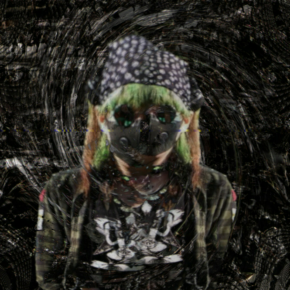
Animated gif
Preview:

Dependencies
voidsplash requires a POSIX compatible shell (tested with dash), a working
framebuffer device and fbv (an image viewer for the framebuffer).
On voidlinux:
# xbps-install -S fbv
Ensure that your framebuffer is working by running fbv on a virtual console
with an image of your choice: (fbv should support png, jpeg and bmp depending
on compile time options)
# fbv -cike image.png
Press q to exit fbv.
For transparency using the -glitch theme, the command should be changed in the test and in /bin/voidsplash to:
# fbv -ciea image.png
Installation
Copy voidsplash to /bin (alternatively, voidsplash can be installed
anywhere but should be on the root partition so that it can be accessed before
disks are mounted). Make sure that it is executable.
voidsplash should be executed as early in the boot process as possible. At the
beginning of /etc/runit/1:
#!/bin/sh
/bin/voidsplash
Create the directory /etc/voidsplash/. This will contain the frames to display
while the system is booting.
Configuration
voidsplash can be configured by means of shell variables inside
voidsplash. Current options are:
-
SPEEDsets the time, in seconds, to show each frame. This is an argument tosleep---fractional values may be used, for -glitch, 0.062 is recomended. -
TARGETSVis the name of a runit service that voidsplash waits for. Once this service is running, voidsplash will exit. If this service does not exist or is not started at boot, voidsplash will never exit. If you wish to use voidsplash without runit, you will need to modify the program to ensure it exits. For example, a late starting service such as greetd or wireguard will work.
Place individual frames (per theme) in /etc/voidsplash. It is recommended that files are
named sequentially (for example, void-0.png void-1.png void-2.png …). fbv will
scale images to the size of the display without changing the aspect ratio. If
you do not want black bars make sure that the images have the same aspect ratio
as the monitor.
If you have an animated gif you wish to use, ImageMagick can be used to create individual frames:
$ magick void.gif -coalesce 0.png
will create 0-0.png 0-1.png … with individual frames from void.gif. A bulk editor can be used to remove the dashes to produce 0-padded filenames. The order of frames will be reversed but this only matters if the animation is not designed to be looping.
Hiding boot messages
Boot messages will get garbled up with voidsplash. This can be fixed by
sending these messages to a different virtual console. Add to boot options:
console=tty2
To send the boot messages to the second virtual console (if using grub, add to
GRUB_CMDLINE_LINUX_DEFAULT in /etc/default/grub then run grub-mkconfig -o /boot/grub/grub.cfg).
Note that this option may interfere with the LUKS password prompt, and that the -glitch theme is meant to embrace this garble.